
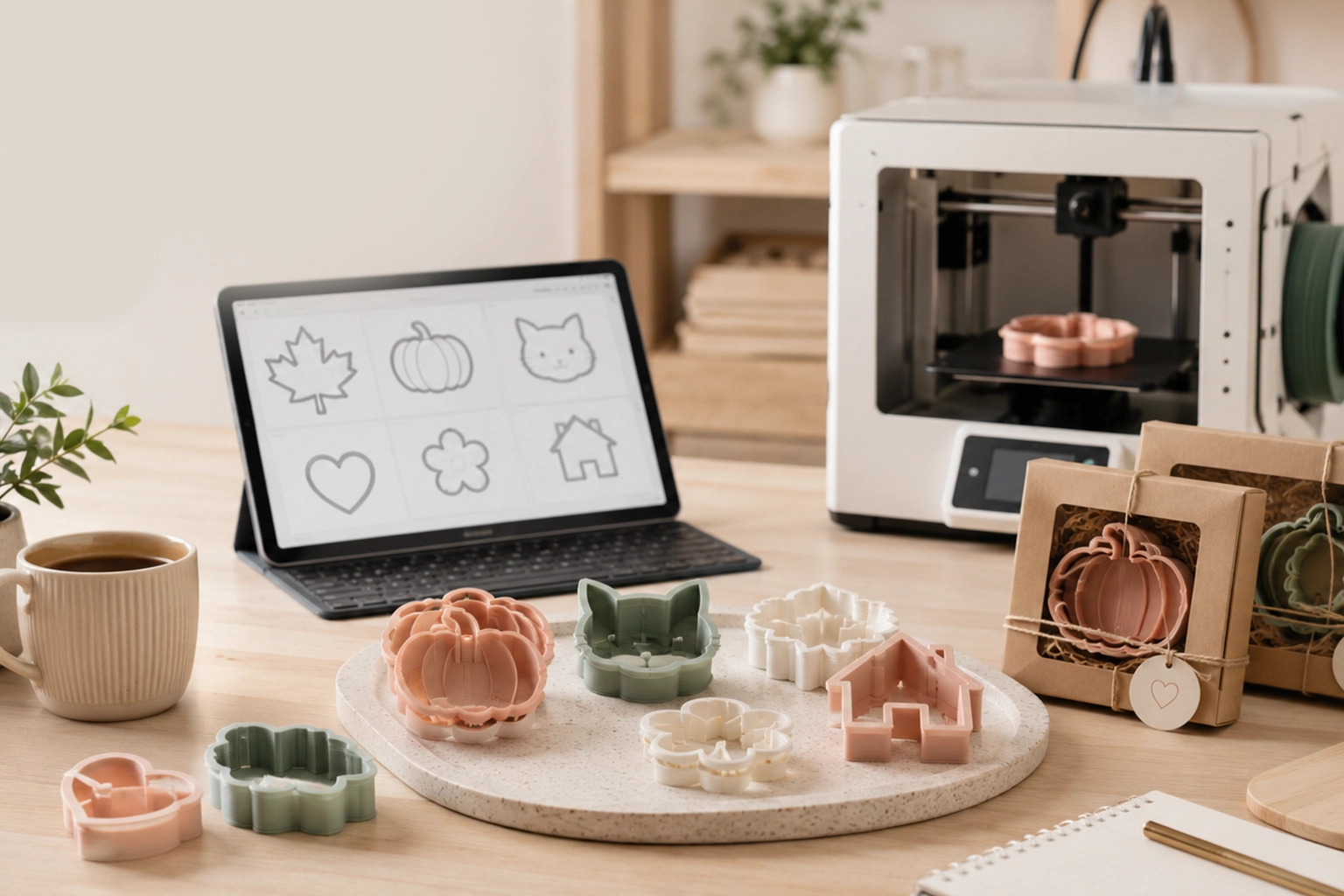
Selling cookie cutters can be a practical product idea for makers, bakers, 3D printing hobbyists, Etsy sellers, and small creative studios. Cookie cutters are lightweight, customizable, easy to theme, and useful for many occasions: birthdays, weddings, holidays, baby showers, bakery branding, seasonal launches, and personalized gifts.
But building a cookie cutter business is not just about buying a 3D printer and printing random shapes. The real opportunity is in creating designs people actually want, preparing clean STL files, testing the cutters, presenting them well, and building collections that make sense for a specific audience.
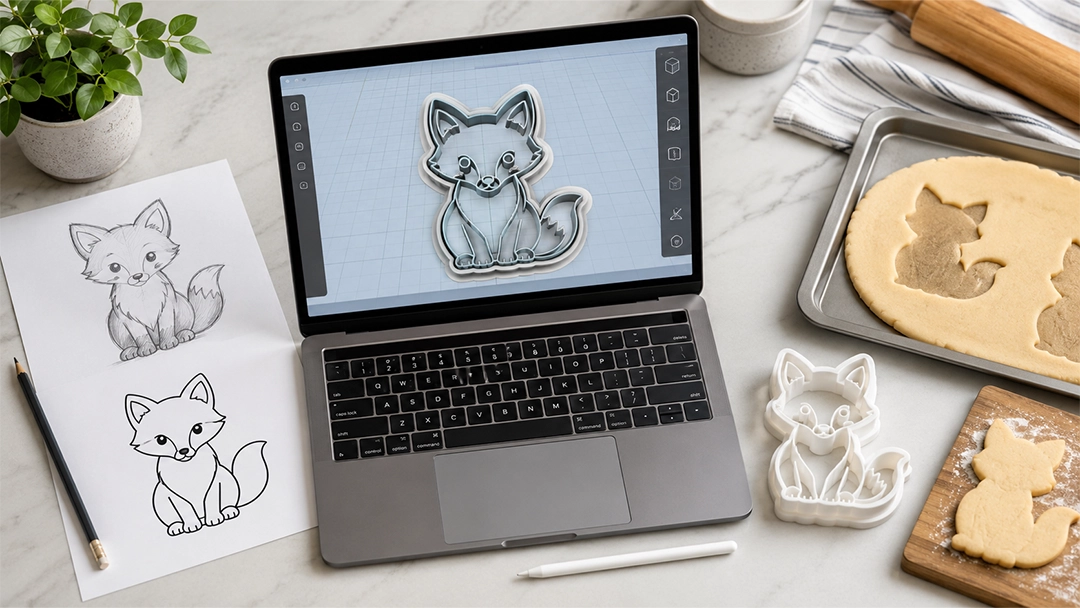
If you want to make money selling cookie cutters online, your biggest advantage is design flexibility. A custom cookie cutter can start from a sketch, logo, reference image, seasonal idea, or simple outline. With the right workflow, that idea can become a print-ready STL file and then a physical product you can test, photograph, sell, and improve.
This guide explains how to start, what to sell, how to choose profitable product angles, and how CreateMold can help you turn cookie cutter ideas into printable files without needing to build every model from scratch in complex CAD software.
Why Cookie Cutters Are a Smart Product for Makers
Cookie cutters work well as a small product because they sit at the intersection of creativity, personalization, and repeatable production. A customer may not need a custom chair, vase, or sculpture every month, but they may want cookie cutters for specific events, seasons, hobbies, pets, names, logos, or party themes.
For sellers, cookie cutters have several practical advantages. They are usually small, easy to store, relatively lightweight to ship, and simple to organize into themed collections. A single design can also become part of a larger product family. For example, a flower cutter can become a spring set, a wedding favor set, a matching stamp set, or a mini version for bite-sized cookies.
The demand is often driven by occasions and identity. People buy cookie cutters because they want a shape that means something: a dog breed, a child’s name, a bakery logo, a holiday theme, a hobby symbol, a wedding monogram, or a custom party concept. This gives small sellers room to compete with unique designs instead of only competing on price.
The most important mindset is this: you are not only selling plastic shapes. You are selling a faster way for someone to create themed, memorable, personalized baked goods. That shift changes how you design, name, photograph, and market your products.
What You Actually Need to Start Selling Cookie Cutters
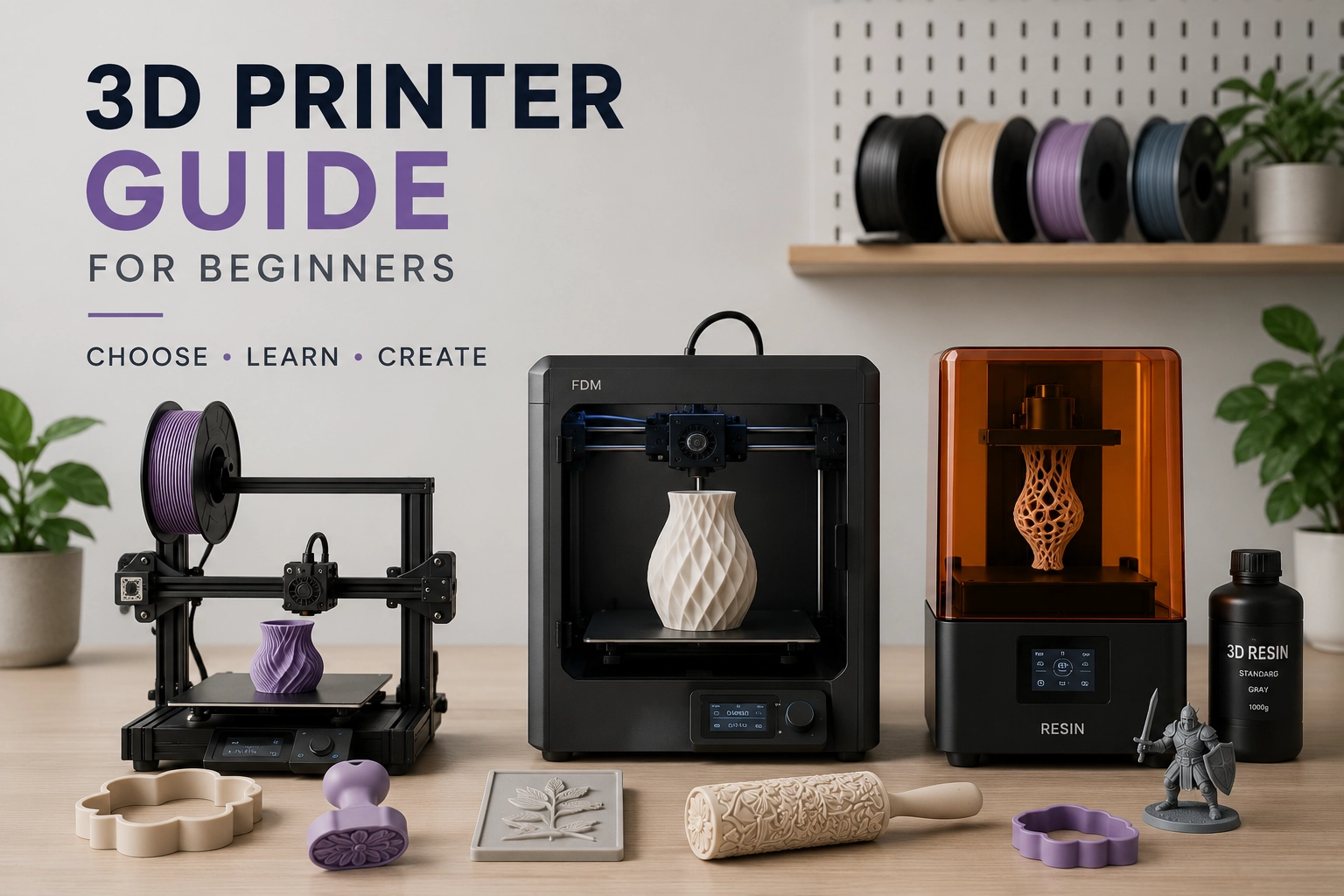
You do not need a large factory setup to start a cookie cutter product line. Many sellers begin with a small desktop FDM 3D printer, basic packaging, a clean design workflow, and a focused set of product ideas. The key is to start with a manageable system instead of trying to create every possible shape at once.
A basic setup may include:
- An FDM 3D printer: Commonly used for cookie cutters because it can print practical shapes, walls, rims, and cutter outlines.
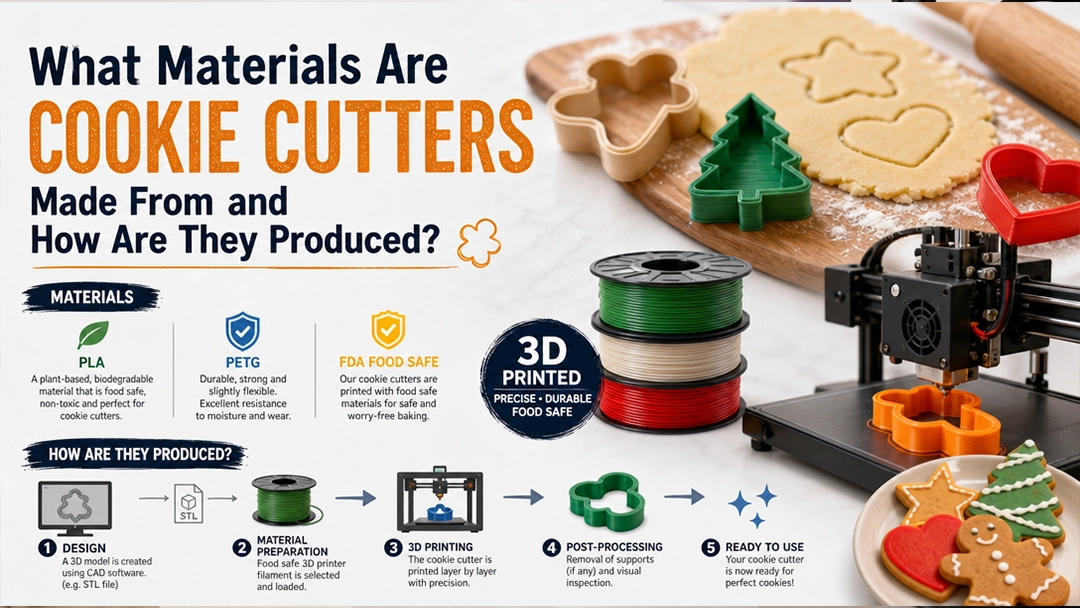
- PLA or suitable filament: PLA is often used for beginner 3D printing, but food-contact use requires careful material and handling decisions.
- STL or 3MF files: These files define the cutter shape and tell the printer what to build.
- Slicing software: Used to prepare the file for your specific printer and print settings.
- Basic testing materials: Dough, clay, or a test medium to check cutting quality and scale.
- Packaging: Simple bags, backing cards, labels, care instructions, and shipping materials.
- Product photos: Clear images showing the cutter size, shape, printed result, and possible cookie outcome.
- A selling channel: Etsy, Shopify, your own website, Instagram, local markets, bakery partnerships, or custom orders.
The printer matters, but the file matters just as much. A weak STL file can waste filament, create fragile cutter walls, produce blunt cutting edges, or make a design hard to clean. A clean file gives you a better starting point for testing and selling.
If you want to create cookie cutter designs from artwork, drawings, logos, or simple shapes, CreateMold Studio can help you turn ideas into print-ready STL and 3MF files for cookie cutters, stamps, stencils, and other maker tools.
Choose a Niche Before You Design Everything
One of the biggest beginner mistakes is trying to sell every kind of cookie cutter. Hearts, stars, animals, holidays, numbers, names, logos, wedding shapes, pet shapes, cartoon-inspired silhouettes, bakery tools, and seasonal designs can all be interesting, but a store with no focus can feel random.
A niche helps customers understand what your shop is known for. It also makes product planning easier because you can build collections instead of isolated designs.
Strong cookie cutter niches can include:
- Seasonal cutters: Christmas, Halloween, Easter, Valentine’s Day, Thanksgiving, graduation, and back-to-school themes.
- Personalized cutters: Names, initials, monograms, birthdays, baby showers, and wedding favors.
- Pet and animal cutters: Dog breeds, cats, farm animals, woodland animals, sea creatures, and custom pet silhouettes.
- Bakery branding: Logo cookie cutters, café icons, packaging insert gifts, and branded event cookies.
- Hobby and lifestyle themes: Gardening, books, sports, music, camping, travel, gaming, or crafts.
- Mini cutter sets: Small cutters for lunchbox cookies, fondant, clay, mini biscuits, and decorative details.
- Cutter and stamp sets: A cutter creates the outline while a matching stamp adds surface detail.
For example, instead of making one random pumpkin cutter, you could build a full autumn collection: pumpkin, leaf, acorn, mushroom, fox, pie slice, and matching stamp details. Instead of one dog bone cutter, you could create a pet bakery line with bones, paws, breed silhouettes, birthday hats, and name plaque cutters.
This is where a digital design workflow becomes powerful. Once you understand your niche, you can create related shapes faster, test variations, and build collections around a theme. With CreateMold’s cookie cutter STL workflow, you can move from idea to printable file without starting from a blank CAD screen every time.
Popular Cookie Cutter Product Types to Sell
Not every cookie cutter product has to be a single outline shape. Many sellers grow by offering different product formats for different customer needs. Some buyers want a simple cutter. Others want a detailed cookie decorating tool. Some want personalized designs. Others want digital files instead of physical products.
Product Type What It Is Best For Seller Advantage Standard outline cutter A simple cutter that creates the outer cookie shape Basic cookies, fondant, clay, seasonal shapes Easy to understand, easy to photograph, good starter product Cutter and stamp set A cutter plus a matching stamp or embossing detail Decorated cookies, logo cookies, detailed designs Higher perceived value and more design personality Personalized cutter A cutter customized with a name, number, logo, or monogram Birthdays, weddings, events, bakery branding Supports custom orders and premium positioning Mini cutter set Small coordinated cutters sold as a set Lunchbox cookies, fondant details, party themes Good for bundles and themed collections Digital STL file A downloadable 3D printing file Customers who already own 3D printers No physical shipping, but requires excellent file quality and clear terms Custom design service You create a cutter from the customer’s idea or artwork Logos, events, pets, small businesses Strong personalization angle and repeat business potentialIf you are just starting, standard outline cutters are usually the easiest to test. Once you understand your printer, file settings, packaging, and customer expectations, you can expand into cutter-and-stamp sets, custom designs, and digital STL files.
CreateMold can support this growth path because the same design thinking can apply across different tools. A shape that begins as a cookie cutter may later become a matching stamp, stencil, clay cutter, or texture element. You can explore the broader tool-building workflow through CreateMold as your product catalog expands.
How to Create Cookie Cutter Designs That People Want
A cookie cutter design should be attractive, printable, and usable. Beginners often focus only on the first part: making a shape look nice on screen. But customers care about the physical experience. Does it cut cleanly? Does it feel sturdy? Is the size useful? Can the cookie be decorated? Does the design survive baking?
Good cookie cutter designs usually share a few qualities:
- Clear silhouette: The shape should be recognizable even after dough expands slightly during baking.
- Practical detail level: Tiny points, thin gaps, and overly complex shapes may not cut or release cleanly.
- Usable wall thickness: The cutter should be strong enough to print and press into dough.
- Comfortable top rim: A thicker rim makes the cutter easier to press by hand.
- Correct scale: The size should fit the intended use, packaging, and decorating style.
- Clean cutting edge: The lower edge should cut dough rather than crush it.
- Consistent file quality: The STL or 3MF should slice cleanly and print reliably.
When designing for sale, think in terms of customer scenarios. A wedding customer may want elegant monograms and consistent sizes. A parent may want a birthday set with numbers, name plaques, and matching shapes. A bakery may need logo cutters that are easy for staff to use repeatedly. An Etsy customer may want a seasonal design that photographs well and feels unique.
If your design starts from a logo, sketch, or reference image, it usually needs cleanup before becoming a cookie cutter. Background noise, tiny text, soft edges, and complicated internal details can make the STL weaker. CreateMold helps makers move from artwork to usable 3D cutter geometry, which can save time when building new product ideas.
The Basic Workflow: From Idea to Sellable Cookie Cutter
A simple, repeatable workflow makes the business easier to manage. Instead of designing randomly and hoping the result works, create a process you can use for every new product.
- Choose the product idea. Start with a clear theme, customer type, or occasion.
- Create or upload the artwork. Use a sketch, logo, SVG-style outline, reference image, or simple digital drawing.
- Turn the design into a cutter file. Build the cutter walls, cutting edge, height, rim, and scale.
- Export the STL or 3MF file. Prepare a clean file that your slicer can read.
- Slice the file. Choose print settings based on your printer, filament, wall strength, and desired finish.
- Print one test cutter. Do not print a full batch before checking the first result.
- Test the cutter. Check cutting quality, comfort, scale, edge strength, and release.
- Adjust the file if needed. Improve weak walls, tiny details, height, rim thickness, or overall size.
- Photograph the product. Show the cutter clearly and, when possible, show the cookie or impression it creates.
- List and promote the product. Write clear titles, descriptions, care notes, size details, and use cases.
This workflow helps you avoid one of the most expensive beginner habits: printing multiple products before testing one. Even small errors can multiply quickly when you print in batches. Testing first protects your time, filament, packaging, and customer reviews.
For the design and export part of the workflow, CreateMold Studio is especially useful because it helps makers preview real 3D tooling and export printable files for cookie cutters and related studio products.
Should You Sell Physical Cookie Cutters or STL Files?
You can sell cookie cutters in two main ways: as physical products or as digital files. Both models can work, but they require different strengths.
Physical cookie cutters are easier for most customers to understand. The buyer receives a finished tool and does not need a 3D printer. This model works well for bakers, parents, event planners, gift buyers, and customers who want convenience. The seller handles printing, quality control, packaging, shipping, and customer support.
Digital STL files are useful for customers who already own 3D printers. This model removes physical shipping, but it requires strong file quality, clear licensing terms, detailed print guidance, and customer expectations management. Some customers may use different printers, slicers, filaments, and settings, so your file needs to be well prepared and clearly explained.
Selling Model Best For Advantages Challenges Physical cookie cutters General customers, bakers, event buyers, gift buyers Easier to sell to non-technical buyers; stronger product photos Requires printing, packaging, shipping, inventory, and quality control Digital STL files 3D printer owners and makers No physical shipping; scalable catalog; fast delivery Requires excellent files, clear instructions, and license boundaries Custom cutter service Businesses, events, personalized gifts, bakeries Higher personalization value; strong customer relationship potential Requires communication, revisions, and custom file preparationMany sellers start with physical products because they are easier to present and control. Later, they may add digital STL files for customers who want to print at home. Another option is to offer custom STL design as a service, especially for bakeries, event planners, and small businesses that need logo or theme-based cutters.
How to Price Cookie Cutters Without Guessing
Pricing should not be based only on filament cost. Filament is only one part of the product. You also need to account for design time, test prints, printer maintenance, failed prints, packaging, shipping materials, marketplace fees, photography, customer service, and profit.
A practical pricing framework includes:
- Material cost: Filament used for the final product and test prints.
- Machine time: The time your printer is occupied and unavailable for other orders.
- Design time: Especially important for custom cutters, logos, names, and themed collections.
- Post-processing: Removing stringing, checking edges, cleaning the print, and quality inspection.
- Packaging: Bags, labels, backing cards, care instructions, boxes, mailers, and protective inserts.
- Platform fees: Marketplace, payment, transaction, or website-related costs.
- Customer support: Messages, revisions, shipping questions, and custom order communication.
- Profit margin: The amount that makes the product worth selling and keeps the business sustainable.
For custom work, do not price only the printed object. A logo cutter, name cutter, or special event design includes creative and technical preparation. The customer is paying for a usable custom result, not just a few grams of plastic.
Bundles can also improve order value. Instead of selling one small cutter, you can sell a set of three, five, or ten themed cutters. You can also pair cutters with stamps, mini cutters, name plaques, or seasonal add-ons. This makes your shop feel more organized and gives customers a reason to buy more than one item.
Where to Sell Cookie Cutters Online
The best sales channel depends on your audience, brand style, and how much control you want. Some sellers begin on marketplaces because customers are already searching there. Others build their own store because they want more control over branding, customer experience, and repeat purchases.
Common selling channels include:
- Etsy: Useful for handmade, custom, seasonal, and personalized cookie cutter searches.
- Shopify or your own website: Better for building a long-term brand, email list, product collections, and repeat customers.
- Instagram: Strong for showing behind-the-scenes printing, new designs, customer cookies, reels, and seasonal launches.
- YouTube: Useful for tutorials, product demos, design walkthroughs, and building trust with makers and bakers.
- Local bakeries: Good for logo cutters, custom shapes, and recurring business relationships.
- Craft fairs and markets: Helpful for showing the physical product and getting direct feedback.
- Custom order forms: Useful for name cutters, logo cutters, pet cutters, and event-specific designs.
If you are building a cookie cutter brand, visual content matters. Customers want to see the cutter, the size, the design result, and examples of what it can create. Short videos showing the cutter being printed, pressed into dough, or used with a matching stamp can help make the product easier to understand.
You can follow CreateMold on Instagram for visual inspiration, product workflows, and maker-focused updates. For video content, tutorials, and tool-building ideas, you can also visit the CreateMold YouTube channel.
How to Make Your Cookie Cutter Listings More Convincing
A good product listing does more than name the shape. It helps the customer understand what they are buying, how big it is, how to use it, and whether it fits their project.
Strong cookie cutter listings usually include:
- A clear product title: Include the shape, theme, occasion, and product type.
- Size information: List dimensions clearly and offer size options when practical.
- Use cases: Mention cookies, fondant, clay, party favors, bakery orders, or seasonal baking when relevant.
- Good photos: Show the cutter alone, in hand, next to a ruler, and with a sample result if possible.
- Care instructions: Explain washing, heat exposure, storage, and intended use.
- Material notes: Be transparent about filament type and handling recommendations.
- Customization options: Make it clear if names, initials, logos, or sizes can be customized.
- Processing time: Tell customers how long custom design or printing usually takes.
A listing for “Dog Bone Cookie Cutter” is basic. A stronger listing might be built around the customer’s use case: “Personalized Dog Bone Cookie Cutter for Pet Birthday Cookies.” The second version speaks to an occasion, a buyer, and a purpose.
Think like your customer. They may not search for technical terms like “STL cutter geometry.” They may search for “custom birthday cookie cutter,” “logo cookie cutter,” “dog treat cutter,” “wedding monogram cookie cutter,” or “mini Halloween cookie cutter set.” Your listing should connect the technical product to the customer’s real project.
Important Safety, Food-Contact, and Legal Considerations
If you sell cookie cutters, especially 3D printed ones, you need to be thoughtful about food-contact use. A 3D printed object is not automatically food-safe just because it is made from a commonly used filament. The filament, printer components, nozzle material, layer lines, cleaning method, pigments, and handling process all matter.
Layer lines can create small grooves where dough, flour, moisture, or residue may collect. Heat can also deform some printed plastics, especially if they are washed in a dishwasher or left near a hot surface. Sellers should provide clear care instructions and avoid making claims they cannot support.
Also be careful with intellectual property. Designs based on protected characters, brand logos, sports teams, celebrities, or copyrighted artwork can create problems if you do not have permission. Personalized customer logos may also require the customer to have the right to use that design. When in doubt, create original designs or work with properly authorized artwork.
This does not mean the business has to be intimidating. It simply means you should build responsibly. Use appropriate materials, communicate clearly, test your products, respect original artwork, and give customers accurate use instructions.
How CreateMold Helps Cookie Cutter Sellers
CreateMold is useful for cookie cutter sellers because it focuses on the step many beginners struggle with most: turning an idea into a printable tool file. A 3D printer can only print what the file tells it to print. If the file is weak, the cutter will be weak. If the file is clean and designed for real use, your printing workflow becomes much easier.
For a cookie cutter business, CreateMold can help with:
- Turning artwork into STL files: Start from a sketch, logo, reference image, or simple concept.
- Creating cutter geometry: Build practical cutter walls, rims, and usable tool shapes.
- Previewing before export: Check the design before committing to a test print.
- Supporting related products: Move beyond cutters into stamps, stencils, texture rollers, and other studio tools.
- Reducing CAD friction: Spend less time fighting complex modeling software and more time testing products.
- Helping product discovery: Create themed collections faster and test new ideas with printable files.
This matters because cookie cutter sellers need speed and consistency. If you want to launch seasonal products, accept custom orders, or build themed collections, you need a way to create files without rebuilding every design manually. CreateMold helps bridge the gap between creative idea and practical STL output.
When you are ready to turn your first design into a printable tool, you can start with CreateMold Studio and build cookie cutter files that are easier to test, refine, and produce.
Common Mistakes New Cookie Cutter Sellers Make
Most beginner mistakes are avoidable. They usually happen when sellers rush from idea to listing without testing the design, understanding the customer, or planning the business side.
- Printing before testing the file: Always test one cutter before printing a batch.
- Using designs that are too detailed: Tiny gaps, sharp points, and complex lines may not work well with dough.
- Ignoring scale: A design that looks good on screen may be too small to decorate or too large to package.
- Weak product photos: Customers need to understand the size, shape, and final result quickly.
- Competing only on price: Unique designs, personalization, collections, and strong presentation matter more.
- Skipping care instructions: Customers should know how to clean and use the cutter properly.
- Using protected designs without permission: Original work and authorized artwork are safer foundations for a long-term shop.
- Listing random products: A focused collection usually feels more trustworthy than unrelated one-off designs.
Start small and improve deliberately. A focused set of 10 well-designed cutters can be stronger than 100 random files that are hard to photograph, explain, or organize. Product quality, niche clarity, and presentation are what turn a 3D printed object into a sellable product.
How to Grow Beyond Basic Cookie Cutters
Once your first cookie cutter designs are working, you can expand into related products that use similar design skills. This can help increase order value and make your shop feel more complete.
Related product ideas include:
- Matching stamps: Pair outline cutters with embossing tools for detailed cookies.
- Fondant cutters: Create smaller designs for cake decorators and sugar artists.
- Mini cutter sets: Offer tiny coordinated shapes for decorating and gift sets.
- Polymer clay cutters: Adapt some shapes for jewelry makers and clay artists.
- Texture rollers: Create repeating patterns for clay, fondant, or craft surfaces.
- Stencil sets: Add decorative surface options for baking and crafting.
- Custom brand kits: Offer logo cutter, matching stamp, and packaging-ready tools for bakeries.
This is where your business becomes more than a cookie cutter shop. It becomes a small custom tool studio. A bakery might order a logo cutter first, then return for a matching stamp. A clay artist may discover your cutters and ask for a texture roller. A party planner may request a full themed set.
CreateMold supports this broader direction because its workflow is not limited to one product type. You can use it to create cookie cutter files, then explore stamps, stencils, texture rollers, and other printable tools as your catalog grows.
Final Thoughts: Start with Better Designs, Not More Products
You can make cookie cutters into a real product opportunity, but it works best when you approach it like a small design business. The goal is not to print as many shapes as possible. The goal is to create useful, attractive, well-tested cutters for a specific customer.
Start with a niche. Build a small collection. Test every design. Take clear photos. Write listings that explain the product well. Price for your time, not only your filament. Avoid designs you do not have rights to use. Give customers care instructions. Then improve based on feedback and repeat orders.
The most important part of the process is the design file. A clean STL or 3MF file makes printing easier, testing faster, and product quality more consistent. If you already have a drawing, logo, reference image, or product idea, you can use CreateMold Studio to turn it into a printable cookie cutter file and start building a product line with more confidence.
Cookie cutter selling is not about finding a shortcut. It is about combining creative ideas with a repeatable production workflow. When your designs are clear, your files are clean, and your products solve a real customer need, your shop has a much stronger foundation.
Key Takeaways
- Cookie cutters can be a strong product for makers because they are customizable, lightweight, theme-friendly, and easy to organize into collections.
- The best opportunities often come from niches such as seasonal designs, personalized cutters, bakery logos, pet themes, and cutter-and-stamp sets.
- A clean STL or 3MF file is essential because it controls wall thickness, cutting edges, scale, strength, and print reliability.
- Physical cookie cutters are easier for general customers to buy, while digital STL files can work well for customers who already own 3D printers.
- Pricing should include design time, testing, packaging, machine time, platform fees, and profit, not only filament cost.
- CreateMold helps sellers turn ideas, drawings, logos, and reference images into printable cookie cutter files more efficiently.
FAQ
Can you make money selling cookie cutters?
Yes, cookie cutters can become a sellable product when you focus on useful designs, clear niches, good product photos, reliable printing, and strong customer presentation. Like any small product business, results depend on product quality, marketing, pricing, consistency, and demand.
What type of cookie cutters sell best?
Personalized, seasonal, themed, logo-based, pet-related, wedding, birthday, and cutter-and-stamp sets often have strong appeal because they solve a specific customer need. The best product for your shop depends on your audience and niche.
Do I need a 3D printer to sell cookie cutters?
If you sell physical 3D printed cookie cutters, you need access to a 3D printer or a production partner. You can also sell digital STL files if your customers own printers, but the files need to be clean, tested, and clearly described.
Can I create cookie cutters from drawings or logos?
Yes. Drawings, logos, and reference images can be turned into cookie cutter files, but they usually need cleanup and conversion into 3D geometry first. CreateMold Studio can help turn artwork into printable STL and 3MF files for cookie cutters and related tools.
Should I sell physical cookie cutters or STL files?
Physical cookie cutters are easier for non-technical buyers because they receive a finished product. STL files are better for customers who already own 3D printers. Some sellers offer both, but each model needs clear quality control and customer expectations.
What filament is commonly used for 3D printed cookie cutters?
PLA is commonly used because it is easy to print and works well for many cutter shapes. However, food-contact use requires careful material choice, printer setup, cleaning instructions, and responsible customer guidance.
How can CreateMold help me start a cookie cutter business?
CreateMold helps you move from idea to printable file. You can use it to prepare cookie cutter designs, preview 3D tooling, and export STL or 3MF files for testing and production. This makes it easier to build custom designs without starting from complex CAD software.
If you are ready to test your first cookie cutter product idea, start with the design file. Upload your artwork, refine the shape, preview the tool, and export a printable STL or 3MF file with CreateMold Studio. For more product ideas and maker workflows, follow CreateMold on Instagram and visit the CreateMold YouTube channel.